

22 tháng 5, 2026
Nạp CSS và JavaScript trong WordPress bằng enqueue đúng cách
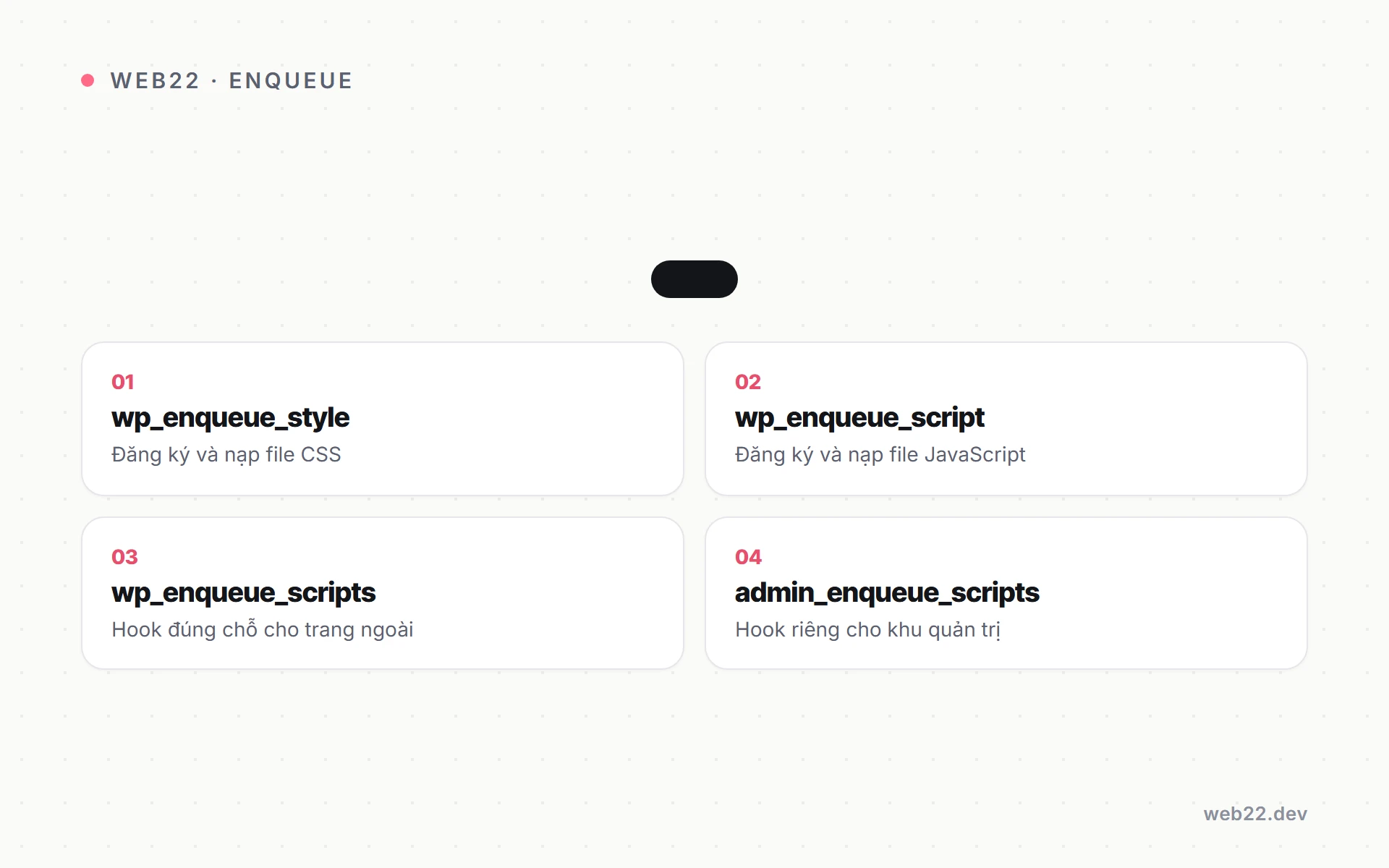
Enqueue script style trong WordPress là cách nạp file CSS và JavaScript chuẩn mực qua hai hàm wp_enqueue_style và wp_enqueue_script, thay vì viết thẳng thẻ link hay script vào template. Cách này giúp WordPress quản lý thứ tự nạp, phụ thuộc và phiên bản tự động.

Nguyen Hien
Tôi là Nguyen Hien, Founder Web22, freelance team
Enqueue script style trong WordPress là cách nạp file CSS và JavaScript chuẩn mực qua hai hàm wp_enqueue_style và wp_enqueue_script, thay vì viết thẳng thẻ link hay script vào template. Cách này giúp WordPress quản lý thứ tự nạp, phụ thuộc và phiên bản tự động.
Nếu bạn từng mở file header.php rồi dán thẳng một thẻ <link> hoặc <script> vào đó, bài này sẽ cho bạn lý do nên dừng thói quen ấy lại. WordPress có sẵn một hệ thống quản lý tài nguyên gọn gàng, và khi dùng đúng, bạn tránh được trùng lặp file, xung đột thư viện và lỗi cache khó chịu.
Vì sao không nên nhúng thẻ link hay script thẳng vào template
Viết tay <script src="..."></script> vào template trông có vẻ nhanh, nhưng nó bỏ qua toàn bộ phần “biết điều” của WordPress. Khi nhúng thẳng, bạn gặp ba vấn đề:
- Trùng lặp. Nếu một plugin khác cũng nạp jQuery, trang của bạn sẽ tải jQuery hai lần. WordPress không thể gộp vì nó không “thấy” thẻ bạn dán tay.
- Sai thứ tự. Một file JavaScript cần jQuery chạy trước, nhưng thẻ tay không khai báo điều đó nên trình duyệt nạp lung tung, sinh lỗi undefined.
- Kẹt cache. Khi bạn sửa file CSS, trình duyệt khách vẫn dùng bản cũ vì URL không đổi. Cơ chế enqueue thêm tham số phiên bản (version) để ép tải lại.
Hệ thống enqueue (xếp hàng nạp tài nguyên) giải quyết cả ba: WordPress gom mọi yêu cầu nạp file của theme và plugin vào một hàng đợi, loại trùng, sắp đúng thứ tự phụ thuộc, rồi in ra trang đúng một lần. Đây là nền tảng khi bạn đặt làm theme WordPress theo yêu cầu bài bản.
Hai hàm cốt lõi và hook đúng chỗ
Bạn không gọi hai hàm này trực tiếp trong template. Bạn móc chúng vào action hook wp_enqueue_scripts — đây là thời điểm WordPress dành riêng để khai báo tài nguyên cho phần hiển thị ngoài (front-end). Đặt code vào functions.php của theme:
function web22_enqueue_assets() {
    // Nạp file CSS chính của theme
    wp_enqueue_style(
        'web22-main',                          // handle: tên định danh duy nhất
        get_theme_file_uri( 'assets/css/main.css' ),
        array(),                               // không phụ thuộc style nào
        filemtime( get_theme_file_path( 'assets/css/main.css' ) ) // version
    );

    // Nạp file JavaScript
    wp_enqueue_script(
        'web22-main',
        get_theme_file_uri( 'assets/js/main.js' ),
        array(),                               // dependency: mảng các handle cần có trước
        filemtime( get_theme_file_path( 'assets/js/main.js' ) ),
        array( 'in_footer' => true )           // tham số $args (WordPress 6.3+)
    );
}
add_action( 'wp_enqueue_scripts', 'web22_enqueue_assets' );
Vài điểm cần nắm trong đoạn trên:
- handle là tên định danh duy nhất, ví dụ
web22-main. WordPress dựa vào handle để tránh nạp trùng và để các script khác khai báo phụ thuộc vào nó. - get_theme_file_uri() trả về đường dẫn URL thật của file trong theme — nên dùng thay vì viết cứng đường dẫn, vì nó tự đúng cả với child theme.
Khai dependency và version cho đúng
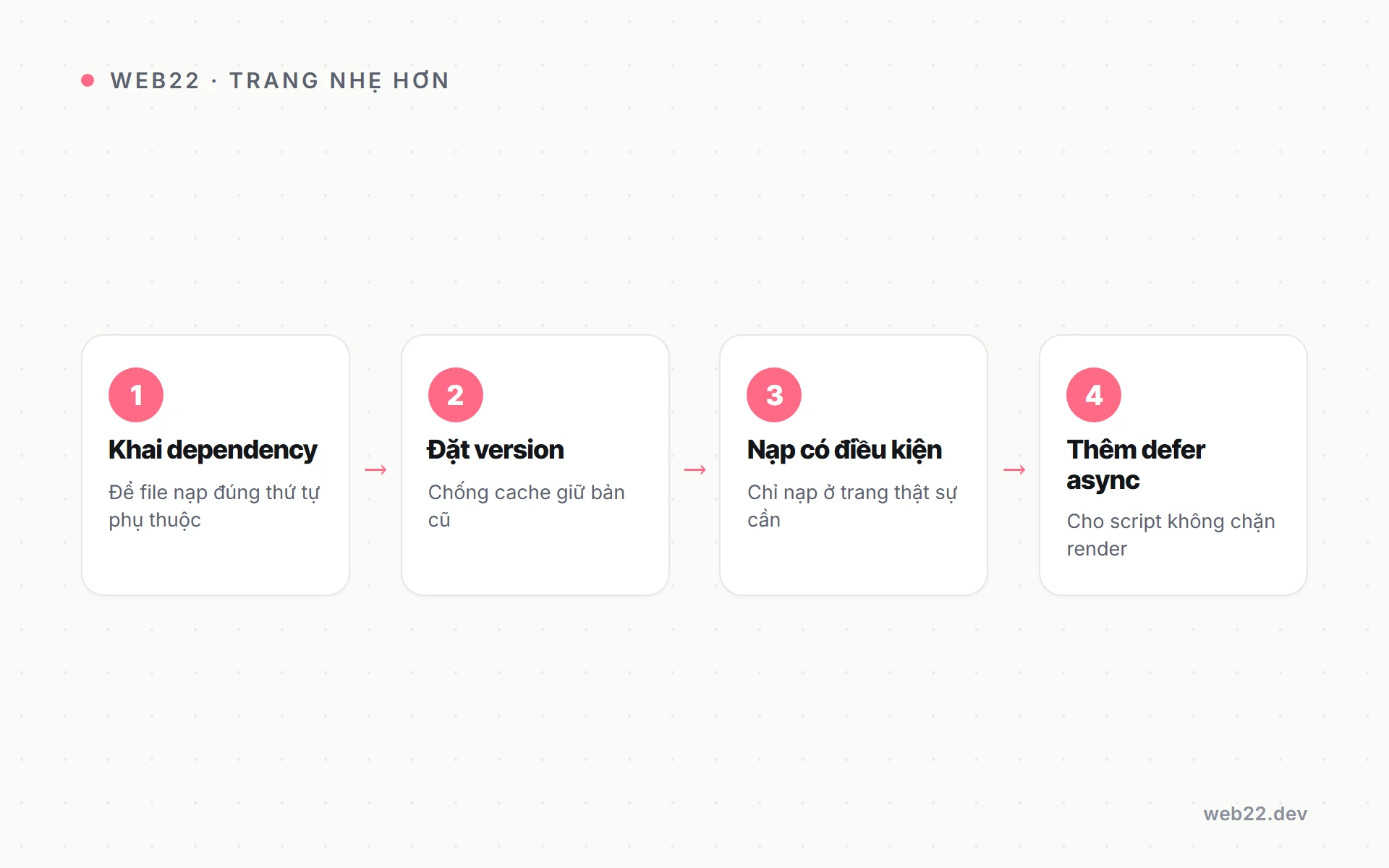
Tham số thứ ba là mảng dependency (phụ thuộc — các handle phải được nạp trước). Nếu script của bạn cần jQuery, hãy khai báo, WordPress sẽ tự xếp jQuery lên trước:
wp_enqueue_script(
    'web22-slider',
    get_theme_file_uri( 'assets/js/slider.js' ),
    array( 'jquery' ),   // slider.js sẽ luôn chạy SAU jquery
    '1.0.0',
    array( 'in_footer' => true )
);
Tham số thứ tư là version. Đây là chìa khoá chống kẹt cache: WordPress gắn ?ver=... vào cuối URL. Khi số version đổi, trình duyệt coi như file mới và tải lại. Có ba cách dùng:
- Chuỗi cố định như
'1.0.0'— nhớ tăng tay mỗi lần sửa file. filemtime()— trả về thời điểm sửa file cuối cùng, tự đổi mỗi khi bạn lưu file, rất tiện lúc đang phát triển.false— WordPress dùng version của chính nó; cònnullthì không thêm version nào.
Nạp có điều kiện theo từng trang
Đừng nạp mọi thứ ở mọi trang. Một file JavaScript chỉ phục vụ trang liên hệ thì không nên kéo theo ở trang chủ — đó là gánh nặng vô ích cho tốc độ. Dùng các hàm điều kiện (conditional tag) của WordPress để nạp đúng nơi:
function web22_conditional_assets() {
    // Chỉ nạp script bản đồ ở trang Liên hệ
    if ( is_page( 'lien-he' ) ) {
        wp_enqueue_script(
            'web22-map',
            get_theme_file_uri( 'assets/js/map.js' ),
            array(),
            '1.0.0',
            array( 'in_footer' => true )
        );
    }

    // Chỉ nạp CSS cho bài đơn
    if ( is_single() ) {
        wp_enqueue_style(
            'web22-single',
            get_theme_file_uri( 'assets/css/single.css' ),
            array(),
            '1.0.0'
        );
    }
}
add_action( 'wp_enqueue_scripts', 'web22_conditional_assets' );
Các điều kiện hay dùng: is_front_page(), is_single(), is_page(), is_archive(), is_woocommerce(). Thói quen nạp có điều kiện này là một phần của cách viết functions.php gọn và an toàn.
Defer và async để trang nhẹ hơn
Từ WordPress 6.3, tham số $args nhận thêm khoá strategy với hai giá trị defer và async. Trước đó người ta phải lọc thủ công thẻ script qua filter script_loader_tag; nay khai báo thẳng:
wp_enqueue_script(
    'web22-analytics',
    get_theme_file_uri( 'assets/js/analytics.js' ),
    array(),
    '1.0.0',
    array(
        'strategy'  => 'defer',   // hoặc 'async'
        'in_footer' => true,
    )
);
Phân biệt nhanh:
- defer: script chỉ chạy sau khi cây DOM dựng xong, và giữ đúng thứ tự khai báo. Hợp với phần lớn script giao diện cần chạy tuần tự.
- async: script chạy ngay khi tải xong, không bảo đảm thứ tự. Hợp với script độc lập như đo lường, quảng cáo — thứ không phụ thuộc vào script khác.
Một lưu ý từ tài liệu lõi WordPress: nếu một handle có gắn inline script ở vị trí after, WordPress sẽ bỏ chiến lược defer/async và coi script đó là chặn (blocking) để bảo đảm đúng đắn. Vì vậy đừng ngạc nhiên nếu một script gắn defer mà vẫn nạp kiểu chặn.
Enqueue trong khu quản trị và file CSS có phụ thuộc
Phần ngoài dùng wp_enqueue_scripts. Nếu bạn cần nạp tài nguyên cho khu quản trị (admin), hook là admin_enqueue_scripts — đừng dùng nhầm, vì nạp file front-end vào admin (hoặc ngược lại) chỉ làm nặng thêm vô ích.
Với CSS, tham số dependency hoạt động tương tự script. Nếu file con phải nạp sau file cha để ghi đè đúng, hãy khai báo:
wp_enqueue_style( 'web22-base', get_theme_file_uri( 'assets/css/base.css' ), array(), '1.0.0' );
wp_enqueue_style( 'web22-blog', get_theme_file_uri( 'assets/css/blog.css' ), array( 'web22-base' ), '1.0.0' );
Nhờ khai web22-base là phụ thuộc, WordPress luôn in base.css trước blog.css, nên các quy tắc ghi đè không bị đảo lộn theo thứ tự ngẫu nhiên.
Nếu bạn không tự code mà muốn thuê làm, Web22 nhận thiết kế và lập trình website với tài nguyên enqueue gọn gàng, nạp đúng trang và không kẹt cache.
Câu hỏi thường gặp
Có thể dùng wp_enqueue_script ngay trong template không?
Không nên. Hãy luôn móc vào hook wp_enqueue_scripts. Gọi trực tiếp trong template dễ chạy quá muộn, bỏ qua xử lý phụ thuộc và sai thời điểm WordPress in tài nguyên.
filemtime hay số version cố định tốt hơn?
filemtime() tiện khi đang phát triển vì tự đổi version mỗi lần lưu. Khi chạy thật, nhiều người chuyển sang chuỗi cố định để kiểm soát thời điểm khách tải lại file, tránh đổi liên tục.
Defer hay async cho jQuery?
Thường để jQuery nạp bình thường (chặn) nếu nhiều script khác phụ thuộc vào nó. Defer hợp cho script giao diện tuần tự; async dành cho script độc lập như đo lường.
Nắm chắc enqueue là một mảnh trong bức tranh lớn hơn về tốc độ và cấu trúc code theme. Khi bạn muốn một bộ tài nguyên được tổ chức gọn, nạp đúng trang và không kẹt cache, đội làm web WordPress của Web22 có thể đồng hành cùng dự án của bạn.
Dịch vụ liên quan
Thiết kế website để khách dễ tìm thông tin, bạn dễ quản trị và mở rộng Web22 nhận thiết kế website cho cá nhân, cửa hàng và doanh nghiệp cần giới thiệu, bán hàng hoặc tiếp nhận yêu…Cùng chủ đề WordPress
Đang tính làm website hoặc muốn web đang chạy nhanh hơn? Nhắn cho Web22 một câu là được.