Shop WooCommerce traffic cao >100k visit/ngày cần architecture khác hẳn shop nhỏ — single VPS không đủ dù tối ưu Redis và LiteSpeed. Bài này phân tích 3 tier scale (1K, 10K, 100K concurrent user) với architecture cụ thể, cost realistic từ 800.000đ tới 12 triệu/tháng, load test trước khi go live, replica database, queue async, và 5 metric monitoring quan trọng nhất.
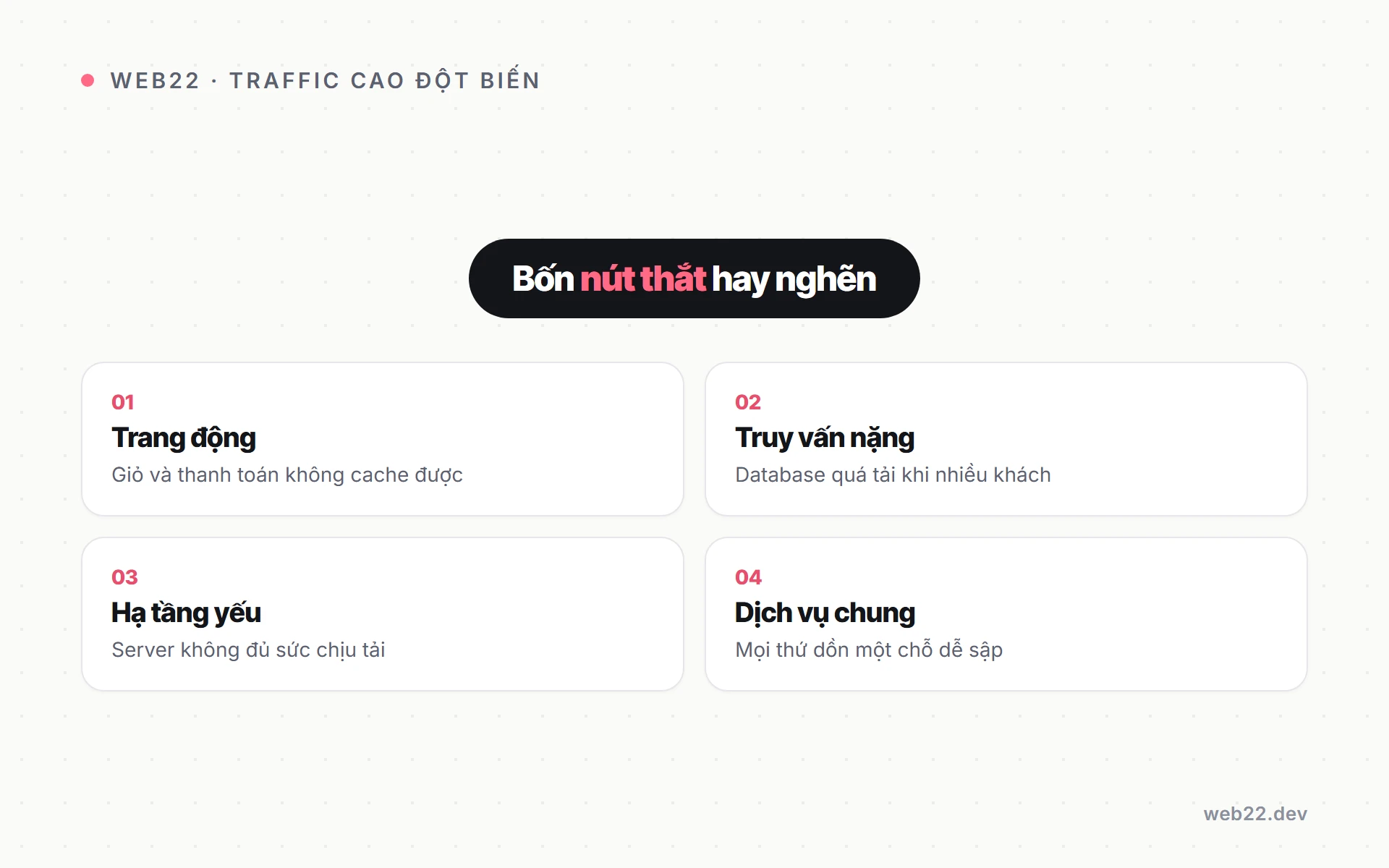
Bottleneck WooCommerce ở traffic cao
Single VPS 8 CPU và 16GB RAM serve được khoảng 500-1.000 concurrent user trước khi degradation. Vượt mức này 4 bottleneck xuất hiện theo thứ tự ưu tiên — mỗi bottleneck cần scale layer khác nhau, không phải solution chung.
5 bottleneck phổ biến ở traffic cao
- PHP-FPM workers exhausted: symptom 502 Bad Gateway, fix tăng FPM workers + scale horizontal — cost thêm 1,2-5 triệu/tháng tuỳ scale.
- MySQL connections limit: error “Too many connections”, fix connection pool và read replica — cost thêm 2,4-12 triệu/tháng cho replica server.
- Redis memory full: cache evict liên tục, hit rate drop dưới 70% — fix tăng maxmemory hoặc setup Redis cluster, cost 1,2-7 triệu/tháng.
- Network bandwidth saturate: slow load tỉnh xa, đặc biệt khách miền Trung và miền Nam — fix CDN aggressive và edge cache, cost 500.000-5 triệu/tháng.
- Disk I/O bottleneck: database query chậm dù có index — fix NVMe SSD và RAID 10, cost 2,4-12 triệu/tháng cho upgrade storage.
Load test xác định bottleneck trước go-live
Trước khi launch shop traffic cao cần load test để biết bottleneck xuất hiện ở concurrent user nào. Tool phổ biến: Apache JMeter (free, complex setup), k6 (free, dev-friendly), Locust (Python-based, dễ scale test).
Pattern test chuẩn: ramp up 100 user/phút lên 5.000 user trong 30 phút, monitor PHP-FPM busy workers, MySQL connections, Redis memory. Identify bottleneck đầu tiên xuất hiện — đó là layer cần scale trước khi launch.
Tier 1 — 1.000 concurrent user (single VPS)
Scale dưới 1K concurrent: single VPS đủ với config đúng. Cost khoảng 1,2-3,5 triệu/tháng.
Phù hợp shop dưới 500 đơn/ngày, traffic peak nhỏ. Architecture đơn giản: 1 VPS chạy LiteSpeed cộng MySQL cộng Redis cùng server.
Spec architecture single VPS optimized
- VPS spec: 8 vCPU + 16GB RAM + 200GB NVMe SSD, OS Ubuntu 22.04 LTS — cấu hình tối thiểu cho shop production serious.
- Web server LiteSpeed: faster Apache 30% với PHP 8.2-FPM 32 workers — handle nhiều request đồng thời tốt.
- Database MySQL 8.0: innodb_buffer_pool 8GB (50% RAM) — cache index và hot data trong memory.
- Cache Redis 6: maxmemory 2GB cho object cache, policy allkeys-lru — đủ cho 1K concurrent user.
- CDN Cloudflare free tier: serve static asset (CSS/JS/image) từ edge — giảm load origin server đáng kể.
Khi nào nâng tier — signal cần upgrade
- PHP-FPM busy workers >80% giờ peak: sắp 502 Bad Gateway — cần scale workers hoặc thêm server.
- P95 response time >1,5s consistently: không phải spike — performance đã degrade, không cứu được bằng optimization.
- MySQL slow query >100 query/ngày: DB cần read replica để offload READ query.
- Đơn hàng tăng trên 500/ngày: ngưỡng tự nhiên cần upgrade architecture multi-server.
Tier 2 — 10.000 concurrent (multi-server)
Vượt 1K concurrent, single VPS exhausted PHP workers. Phải tách thành multi-server: 2-3 app server (PHP-FPM) + 1 database server + 1 Redis server, sau load balancer.
Cost khoảng 7-20 triệu/tháng tuỳ provider và region.
Architecture multi-server breakdown
- 3 app server PHP-FPM: 4 vCPU + 8GB RAM mỗi server, khoảng 1,5 triệu/tháng/server — handle request từ load balancer.
- 1 database master: 8 vCPU + 16GB RAM + 500GB SSD, khoảng 5 triệu/tháng — handle mọi WRITE query.
- 1 database read replica: 4 vCPU + 8GB RAM, khoảng 2 triệu/tháng — handle READ query (80% traffic).
- 1 Redis server: 2 vCPU + 4GB RAM, khoảng 1 triệu/tháng — object cache cho cả 3 app server.
- 1 Load balancer: 2 vCPU + 4GB RAM, khoảng 750.000đ/tháng — HAProxy hoặc Nginx phân tải.
Load balancer config chuẩn cho WooCommerce
HAProxy hoặc Nginx làm load balancer phân tải request về 3 app server. Sticky session essential cho WooCommerce — user phải hit cùng app server trong session để cart và checkout không bị mất.
Health check mỗi 5 giây cho 3 app server — nếu 1 server fail, load balancer auto remove khỏi pool. Khi server recover, auto add lại.
Pattern này đảm bảo uptime 99,9%+ kể cả khi 1 app server crash giữa peak.
Database read replica và connection pooling
WooCommerce 80% query là READ (browse product, search, cart view). Replicate database cho read replica server, hướng READ query sang replica — giảm load master đáng kể.
Master chỉ handle WRITE (đặt đơn, update inventory, update profile).
Setup MySQL master-replica
- Master config: bật log_bin, set server-id=1, binlog_do_db=tên_db_shop — log mọi WRITE để replica replay.
- Replica config: set server-id=2, read_only=1, super_read_only=1 — chặn WRITE accidental sang replica.
- Connect replica to master: CHANGE MASTER TO với master_host, replication user, password — start slave và verify status.
- Verify replication: SHOW SLAVE STATUS — Seconds_Behind_Master phải dưới 1, Slave_IO_Running và Slave_SQL_Running phải Yes.
Plugin HyperDB route READ sang replica
WordPress mặc định chỉ connect 1 DB. Plugin “HyperDB” của Automattic cho phép define rule routing query — READ query về replica, WRITE query về master, fallback master nếu replica down.
Config qua wp-config.php và file db-config.php trong wp-content. Setup 30-60 phút bao gồm test routing đúng.
Lưu ý: critical query inventory check trong checkout phải force về master — replica có lag 1-3s, dễ oversell flash sale.
Connection pooling với ProxySQL
- Vì sao cần: WooCommerce open connection mới cho mỗi request — vượt MySQL max_connections nhanh khi traffic peak.
- ProxySQL: sit giữa app và MySQL, pool connection — 1.000 app request share 100 MySQL connection.
- Cost: free open source, deploy trên server riêng 1 vCPU + 2GB RAM khoảng 500.000đ/tháng.
- Bonus: ProxySQL hỗ trợ query routing rule — tự động route READ sang replica, không cần plugin WP layer.
Redis cluster cho cache scale
Single Redis instance limit khoảng 2-4GB memory hiệu quả. Shop traffic cao với nhiều user cần Redis cluster (3-6 node) để distribute load.
Redis Sentinel cho high availability — auto failover khi master node down.
Redis Sentinel 3 node setup
- 3 server architecture: 1 master + 2 replicas, Sentinel monitor cả 3 — nếu master down, auto-promote replica.
- Plugin Object Cache Pro support Sentinel: connection string đặc biệt cho cluster, không phải đổi code app.
- Cost: 3 server Redis × 1 triệu/tháng = 3 triệu/tháng — đắt hơn single nhưng uptime 99,95%+ vs 99% single.
- Khi nào cần: shop >5K concurrent, downtime Redis = site freeze 30-60 giây mỗi lần fail.
Redis Cluster mode (sharding)
Khi cache size vượt 8GB, cần shard data ra nhiều node thay vì replicate. Redis Cluster mode chia keyspace ra 16384 hash slots, phân về các node — mỗi node giữ 1 phần data.
Setup phức tạp hơn Sentinel, cần ít nhất 6 node (3 master + 3 replica). Phù hợp shop >50K concurrent với cache size lớn.
Plugin Object Cache Pro support cluster mode native.
Queue async cho task nặng
WooCommerce có nhiều task nặng chạy sync trong request: gửi email confirm đơn, update inventory cross-channel, generate invoice PDF, sync với CRM. Block request 2-5 giây, khách thấy chậm dù page render xong.
Action Scheduler — queue native WooCommerce
- Built-in từ WooCommerce 3.5+: không cần plugin thêm, dùng ngay qua hook as_enqueue_async_action().
- Phù hợp shop dưới 5K đơn/ngày: queue đơn giản, không cần infrastructure phức tạp.
- Limitation: chạy qua wp-cron, không real-time async — task có thể chờ 1-2 phút mới chạy.
- Monitor: WooCommerce → Status → Scheduled Actions — xem task đang queue và failed.
RabbitMQ hoặc Redis Queue cho scale
- Khi Action Scheduler không đủ: shop >5K đơn/ngày, queue tích luỹ và process chậm.
- RabbitMQ: message broker chuyên nghiệp, support priority queue và dead letter queue — phức tạp nhưng powerful.
- Redis Queue (RQ): dùng Redis làm queue store — đơn giản hơn RabbitMQ, đủ cho 90% case e-commerce.
- Worker process tách biệt: chạy worker trên server riêng — không block app server xử lý request.
CDN aggressive và monitoring production
Cloudflare free đủ cho 1K concurrent. Vượt lên cần Cloudflare Pro hoặc Enterprise cho image polish, advanced WAF, multi-region routing.
Aggressive cache HTML cho guest user qua edge function.
Cloudflare Workers cho personalization
- Workers script JavaScript: chạy trên edge của Cloudflare, intercept request trước khi tới origin.
- Logic personalization: detect cookie logged_in → bypass cache fetch fresh, guest → serve cache aggressive.
- Cart và checkout luôn bypass: URL chứa /cart/ hoặc /checkout/ → always fetch fresh, không cache.
- Cost: Workers free 100K request/ngày, paid 125.000đ/tháng cho 10M request — rẻ so với origin server scale.
5 metric monitoring quan trọng nhất
- P95 response time: 95% request dưới 1s. P95 vọt >2s là user notice — cần investigate ngay.
- PHP-FPM busy workers: >80% workers busy = sắp 502. Auto-scale rule trigger thêm server hoặc alert ops team.
- MySQL slow query: >1s/query là candidate optimize. Log slow query daily, analyze weekly với pt-query-digest.
- Redis hit rate: >90% target. Drop <80% = config issue, có thể cache key conflict hoặc memory full.
- Conversion rate: business metric — performance issue thường correlate drop conversion. Monitor cùng technical metric để biết impact thực sự lên revenue.
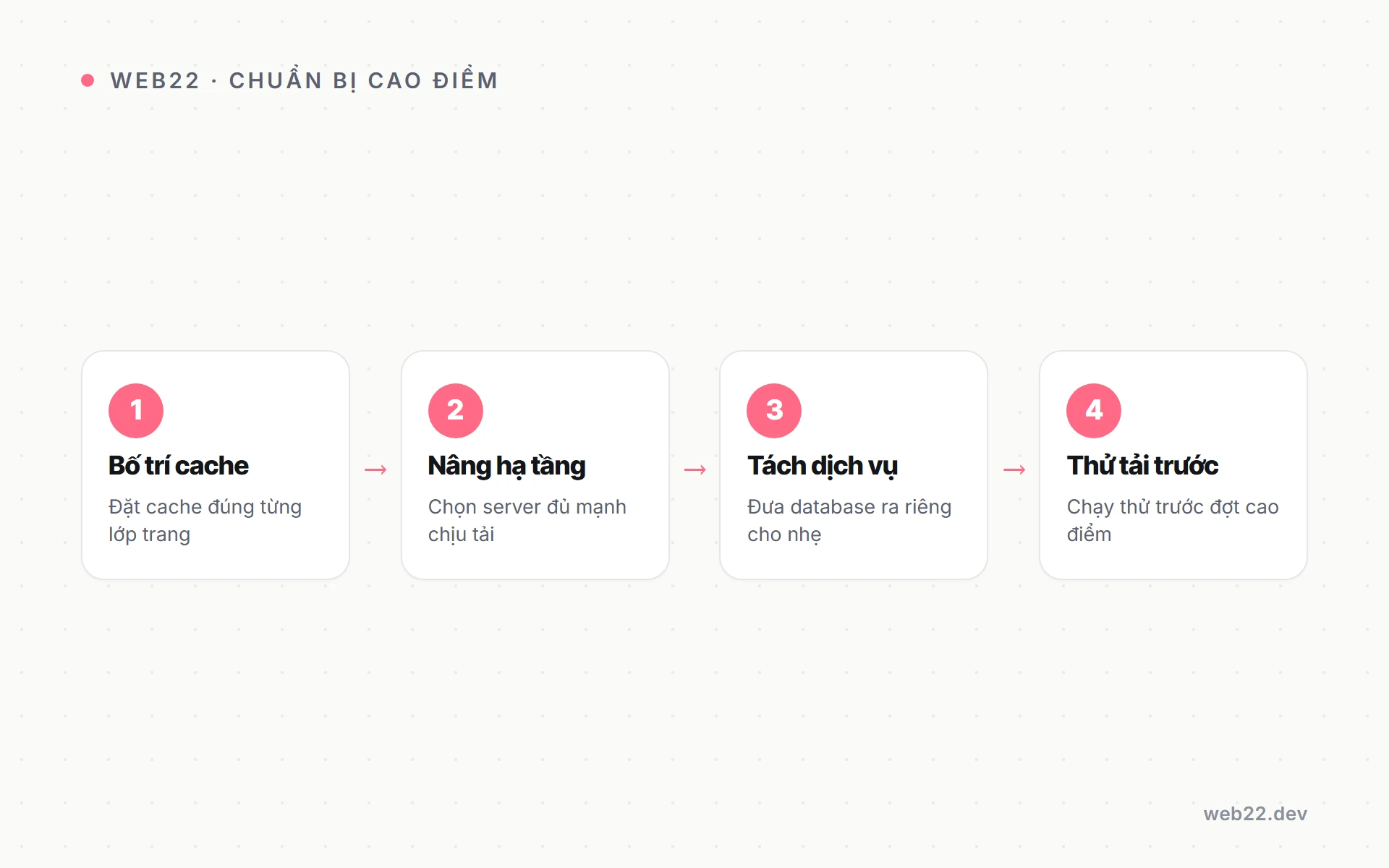
Load test trước go-live — quy trình chuẩn 5 bước
Trước khi launch shop traffic cao, load test giúp identify bottleneck thực tế dưới load — khác với optimization theo theory. Bỏ qua load test dẫn tới site crash giờ peak ngày launch.
5 bước load test chuẩn
- Bước 1 — Define target metric: ví dụ “site phải handle 5.000 concurrent với P95 response <1,5s” — cụ thể, đo được, không vague.
- Bước 2 — Setup test environment: clone production data sang staging same spec — load test trên production thật risk lớn.
- Bước 3 — Chọn tool và scenario: k6 hoặc Locust để code scenario realistic (browse product, add cart, checkout) — không chỉ hit home page.
- Bước 4 — Ramp up traffic: 100 user/phút lên 5.000 user trong 30 phút — monitor metric mỗi 1 phút.
- Bước 5 — Analyze và fix bottleneck: identify layer fail đầu tiên (PHP-FPM, MySQL, Redis) — fix layer đó trước khi test lại.
Bottleneck thường thấy theo thứ tự
- PHP-FPM workers exhaust trước: dưới 2.000 concurrent đa số case — config workers thấp hoặc app server underpowered.
- MySQL connections second: 3.000-5.000 concurrent — connection pool không có hoặc max_connections set thấp.
- Redis memory third: 5.000-10.000 concurrent — maxmemory không đủ cho data set.
- Network bandwidth last: >10.000 concurrent với heavy static asset — cần CDN aggressive hoặc upgrade network tier.
Cost breakdown realistic theo tier traffic
Cost infrastructure scale theo traffic không linear — mỗi tier có jump cost lớn do thay đổi architecture. Hiểu cost theo tier giúp shop dự đoán ngân sách infra và biết khi nào break-even để upgrade.
Tier 1 dưới 1K concurrent — 1,2-3,5 triệu/tháng
- Single VPS 8 vCPU + 16GB RAM: 1,5-2,5 triệu/tháng tuỳ provider (Cloudways, Hostinger, AZDigi).
- CDN Cloudflare free: 0đ/tháng — đủ cho tier này.
- Monitoring basic (UptimeRobot free): 0đ/tháng — alert uptime cơ bản.
- Backup managed: 300.000-500.000đ/tháng — daily backup offsite, restore 1-click.
- Total estimated: 1,8-3,5 triệu/tháng — break-even khi shop doanh thu >30 triệu/tháng.
Tier 2 từ 1K tới 10K concurrent — 7-20 triệu/tháng
- 3 app server + 1 database master + 1 replica + 1 Redis + 1 LB: 7-15 triệu/tháng cho stack DigitalOcean hoặc Cloudways.
- CDN Cloudflare Pro: 495.000đ/tháng — image polish, WAF advanced.
- Monitoring APM (New Relic hoặc Datadog basic): 750.000-2 triệu/tháng — track P95 response time, error rate.
- Managed backup và disaster recovery: 1-2 triệu/tháng — backup multi-region, RPO dưới 1 giờ.
- DevOps part-time hoặc agency: 5-15 triệu/tháng — monitor + handle incident — không cần in-house full-time.
- Total estimated: 15-35 triệu/tháng — break-even khi shop doanh thu >300 triệu/tháng.
Tier 3 từ 10K tới 100K concurrent — 35-120 triệu/tháng
- Architecture AWS managed (EC2 Auto Scaling + RDS Multi-AZ + ElastiCache + ALB + CloudFront): 25-80 triệu/tháng tuỳ usage.
- CDN Cloudflare Enterprise hoặc CloudFront aggressive: 5-15 triệu/tháng — multi-region, custom rule.
- APM full (Datadog Pro hoặc New Relic Pro): 3-8 triệu/tháng — distributed tracing, full observability stack.
- DevOps in-house team (1-2 engineer): 30-80 triệu/tháng — 24/7 on-call, capacity planning, incident response.
- Total estimated: 65-180 triệu/tháng — break-even khi shop doanh thu >2 tỷ/tháng.
Câu hỏi thường gặp
Khi nào cần upgrade từ single VPS sang multi-server?
Khi PHP-FPM workers thường >80% busy giờ peak, hoặc P95 response time >1,5s consistently — không phải spike ngẫu nhiên. Ngưỡng tự nhiên: trên 500 đơn/ngày và trên 1.000 visitor/giờ peak.
Trước ngưỡng đó, single VPS với optimization (Redis + LiteSpeed + DB tuning) đủ. Upgrade sớm là waste cost, upgrade muộn là downtime peak hour hỏng UX khách.
Cost realistic cho shop 10K concurrent là bao nhiêu?
Infrastructure khoảng 7-20 triệu/tháng cho multi-server architecture. Plus monitoring tools (New Relic, Datadog) khoảng 750.000-2,5 triệu/tháng.
Plus DevOps engineer in-house hoặc agency khoảng 12-50 triệu/tháng.
Total khoảng 25-75 triệu/tháng cho production-grade setup. Tier này phù hợp shop doanh thu >500 triệu/tháng — chi phí infra dưới 15% revenue là acceptable.
AWS GCP vs DigitalOcean cho WooCommerce?
DigitalOcean simpler và rẻ hơn cho shop SME — UI dễ dùng, pricing predictable, đủ cho 10K concurrent. AWS GCP cần DevOps expertise nhưng support enterprise feature (auto-scale, managed RDS, CloudFront, multi-region).
Shop 10K concurrent: DigitalOcean đủ và dễ manage. Shop 100K+ concurrent: AWS với managed service (RDS, ElastiCache, ELB) giảm operational burden, đáng đầu tư.
Database replica có lag không và xử lý sao?
Có, 1-3s typical lag dưới load bình thường. Shop bán flash sale với inventory tight: lag dẫn tới oversell — replica show stock=5 nhưng master đã 0.
Solution: critical query (checkout inventory check) force read từ master qua flag SQL_NO_CACHE hoặc plugin HyperDB rule. Browse query OK đọc replica vì stale 1-3s không impact UX.
Auto-scale vs manual scale cho WooCommerce?
Auto-scale (AWS Auto Scaling Group, GCP Managed Instance Group) tốt cho traffic spike unpredictable — flash sale, viral content, livestream selling. Manual scale tốt hơn cho traffic predictable (shop daily traffic stable theo pattern weekly).
Auto-scale có cost overhead: setup rule, monitoring, tuning threshold. Cho 90% shop SME: manual scale đủ.
Auto-scale chỉ ROI khi traffic vol biến động >3 lần giữa peak và off-peak.
Tài nguyên và bước tiếp theo
Architecture scale là foundation cho shop WooCommerce traffic cao. Sau khi setup xong infrastructure, mở rộng sang các topic liên quan để hoàn thiện production stack:
- Tối ưu tốc độ WooCommerce — checklist 12 điểm đạt LCP <2,5s — foundation performance trước khi scale architecture.
- Giảm bỏ giỏ hàng WooCommerce — recovery qua email và SMS — tận dụng traffic cao để recover cart bỏ giỏ.
- Guest checkout WooCommerce — bật và decision matrix — giảm friction lúc traffic peak.
- Upsell cross-sell WooCommerce — 4 vị trí tăng AOV — tăng giá trị đơn để justify cost infra cao.
- Dịch vụ thiết kế website WooCommerce trọn gói — gói thi công shop có sẵn architecture scale theo tier.
Cần Web22 audit + design architecture multi-server scaling cho WooCommerce traffic cao của bạn? Đội Web22 dev WooCommerce full feature — phạm vi rõ ràng, có sẵn benchmark load test 3 tier traffic.